
Handy Speech to Text on Linux: Setup, Wayland, Alternatives
Handy is free, offline speech to text that runs on Linux. How to install it on Ubuntu, Fedora or Arch, what Wayland needs, and when to pick something else.
Quick answer: Yes, Handy runs on Linux. It's free, MIT-licensed speech to text: hold a shortcut, speak, and it pastes text into the active app, using models on your machine. On Debian or Ubuntu install the .deb with apt. Wayland needs wtype or dotool. To skip setup, our pick is Blip AI (we build it).
By the Blip AI team. We build Blip AI, a competing dictation app, so weigh our pick with that in mind. Facts about Handy come from its GitHub README and handy.computer, checked on 9 November 2026. We didn't run Handy ourselves for this guide, so we report what its documentation says, not how it felt to use.
Does Handy work on Linux?
Yes. The README says Handy "works on Windows, macOS, and Linux" and describes itself as a free, open source and extensible speech-to-text application that works completely offline. The code is MIT-licensed. One caveat: the handy.computer download button offered only an Apple Silicon build when we looked on 9 November 2026, so on Linux go to the releases page instead.
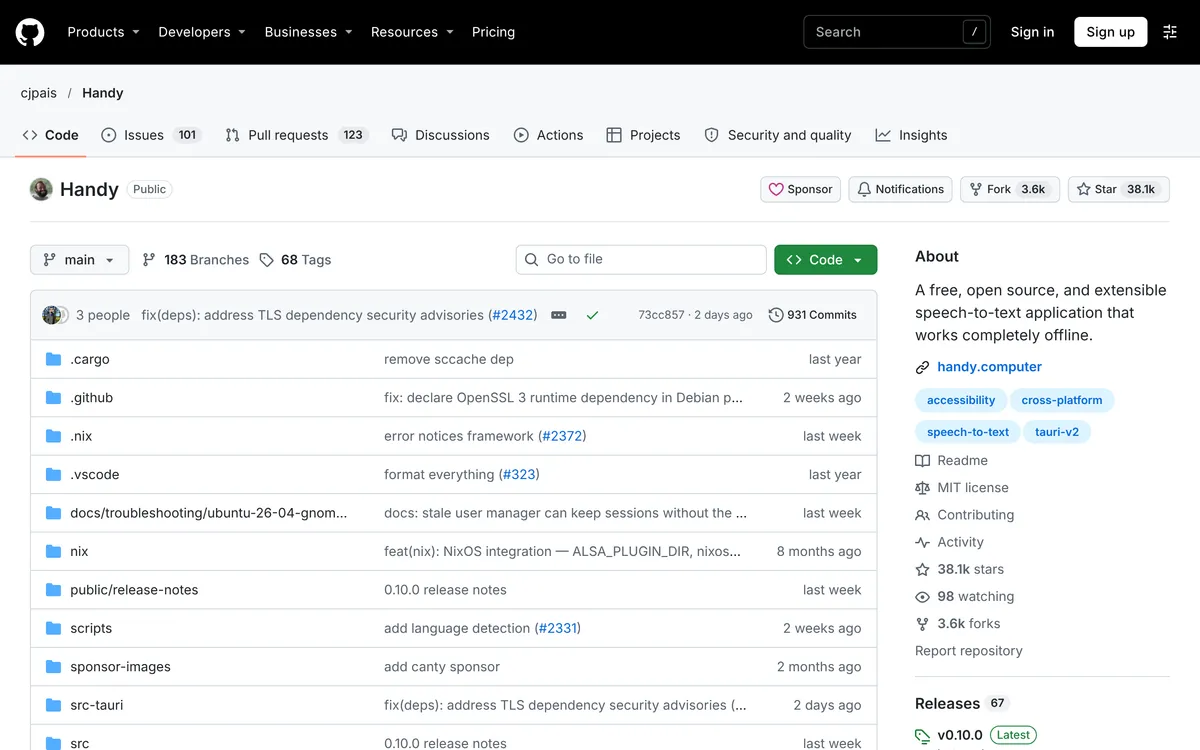 Screenshot of github.com/cjpais/Handy, taken November 9, 2026.
How does Handy work?
Per the README, you press a configurable shortcut, speak, and release. Handy transcribes with Whisper models (Small, Medium, Turbo, Large, with GPU acceleration when available) or Parakeet V3, which the README calls CPU-optimized with automatic language detection, then pastes the text into the app you're using. Silence is filtered out with Silero voice activity detection.
The shortcut works two ways: hold it to record and release to stop, or tap it to toggle recording on and off. Hold-only and toggle-only modes are also available.
How do you install Handy on Ubuntu, Fedora or Arch?
| Distro | What the README says |
|---|---|
| Debian and Ubuntu | Download the .deb from the releases page and install it with sudo apt install ./Handy_*.deb. It warns against dpkg -i unless the dependencies are already installed; if you already ran it, sudo apt --fix-broken install repairs that |
| Fedora and RHEL | The README doesn't name a Fedora package; check the releases page. If startup fails on a missing libgtk-layer-shell.so.0, run sudo dnf install gtk-layer-shell |
| Arch | Same: if that library is missing, sudo pacman -S gtk-layer-shell |
Checked 9 November 2026 on Handy's README. The README's examples also mention an AppImage for Linux, but we didn't confirm the current file list, so check the releases page for what's published for your distro.
On Debian and Ubuntu the missing-library package is libgtk-layer-shell0. After installing, launch Handy, grant the microphone permission, and set your shortcut in Settings.
What does Handy need on Wayland and X11?
Handy pastes text by calling a small typing tool, and which one depends on your display server. These are the README's Linux notes:
| Display server | Tool the README recommends | Install (Debian/Ubuntu commands) |
|---|---|---|
| X11 | xdotool |
sudo apt install xdotool |
| Wayland | wtype (preferred) or dotool |
sudo apt install wtype |
| Either | dotool, which needs your user in the input group |
sudo apt install dotool, then sudo usermod -aG input $USER and log out and back in |
Without those tools Handy falls back to a library called enigo, which the README says "may have limited compatibility, especially on Wayland". It calls its own Wayland support "limited".
Three Linux details from the README worth knowing before you hit them:
- Ubuntu 26.04 has Wayland by default and
wtypedoes not work there. The README says to installydotooland configure systemd, linking a pull request comment for the steps. - Global shortcuts on Wayland have to be set through your desktop environment or window manager. Use Handy's command-line flags as the command for your custom shortcut, for example
handy --toggle-transcription. - The recording overlay is off by default on Linux, because some compositors treat it as the active window. It can steal focus and make pasting fail or land in the wrong window. If you turn it on and pasting breaks, set Settings > Advanced > Overlay Position back to None.
What if Handy won't start on Linux?
The README has a troubleshooting section for Linux crashes. In order:
- Install the
gtk-layer-shellruntime package for your distro (table above). It calls a missing library the most common cause of startup failures. - If that doesn't help, set
HANDY_NO_GTK_LAYER_SHELL, which skips the layer-shell setup. The README says it has been reported to interact poorly with the recording overlay on KDE Plasma under Wayland. - For rendering problems, it documents WebKit renderer environment variables.
On Hyprland and Omarchy, the README has a separate fix for an empty recording overlay. It also says that workaround doesn't work with the 0.9.6 AppImage, which forces X11.
One more change: older releases accepted SIGUSR1 to toggle post-processing. Handy no longer listens for it on Linux, and the README says to remove any pkill -USR1 bindings because they can crash the app.
Is Handy free?
Yes. The README says it's free and MIT-licensed, and it lists sponsors. Its README says the process is entirely local: your voice stays on your computer.
Handy vs Blip AI on Linux: which should you pick?
| Handy | Blip AI | |
|---|---|---|
| Price | Free, open source | Free plan (2,000 words a month), paid Pro |
| Setup on Linux | Install the .deb (or an AppImage, per its README), add a typing tool for your display server, set a shortcut |
Download an AppImage |
| Wayland and X11 | Both, with a typing tool; Wayland support is "limited" per its README | Both |
| Where speech runs | On your machine | Blip Cloud by default; on-device models on Pro |
| Cleanup | Filler words removed by default per its settings code; AI post-processing is opt-in | Filler words and punctuation cleaned up on Blip Cloud |
| Also on | Mac and Windows | Mac, Windows, iPhone, Android |
Handy's column is from its README, checked 9 November 2026. Blip AI's column is from our own product facts.
Pick Handy if you want free and open source, you want everything to stay on your machine, and you're fine installing a typing tool and binding a key on Wayland.
Pick Blip AI if you'd rather not manage models or typing tools: Blip Cloud needs no GPU or API key. Our reason for the pick is less setup, not that Handy is worse at what it does. If Handy's local-only, free model is what you want, it's the better fit.
How to dictate on Linux with Blip AI instead
Blip AI is x86-64 only, so there's no ARM build. You hold Ctrl + Win, speak, and let go; the text lands in whichever app has focus. Add Space for hands-free mode.
 Screenshot of blipai.app/linux, taken November 6, 2026.
- No models or typing tools to manage. Blip Cloud is the default and removes filler words and fixes punctuation.
- Offline when you need it. Pro adds downloadable on-device models that transcribe without a connection. The free plan is cloud-only.
- Same app elsewhere. It also runs on Mac, Windows, iPhone and Android.
Download it from the Linux page and follow the Linux setup guide, or see /download for Mac, Windows and phones. Compare plans on the pricing page.
For the whole field, see the best dictation apps for Linux. Another free, local tool, Voxtype (MIT-licensed, local by default), is covered in Voxtype on Linux, and OpenWhispr on Linux covers OpenWhispr, an MIT-licensed app with local and cloud models. Coming from a Mac or Windows app? See Wispr Flow for Linux (Wispr Flow's site) and Superwhisper for Linux (Superwhisper's site). Distro-by-distro basics are in speech to text on Ubuntu and how to voice type on Linux.
FAQ
Does Handy work on Linux? Yes. Its README lists Windows, macOS and Linux, and gives Linux notes for X11 and Wayland.
Does Handy work on Wayland? With limits. The README calls Wayland support "limited" and recommends wtype or dotool for typing. On Ubuntu 26.04 it says wtype doesn't work and points to ydotool.
Is Handy free and offline? Yes. It's free and MIT-licensed, and its README says it works completely offline.
How do I install Handy on Ubuntu? Download the .deb from the releases page and run sudo apt install ./Handy_*.deb. Avoid dpkg -i unless the dependencies are installed.
How do I set a Handy shortcut on Wayland? Bind a custom shortcut in your desktop environment or window manager that runs a Handy command-line flag such as handy --toggle-transcription.
Why won't Handy start on Linux? The README's first suggestion is to install the gtk-layer-shell runtime package for your distro, then try HANDY_NO_GTK_LAYER_SHELL.
What's a Handy alternative that needs less setup on Linux? Blip AI is our pick: an AppImage with cleaned-up text on Blip Cloud and on-device models on Pro. Voxtype is another free, local option: its site says "No cloud, no subscription, no telemetry".